

TraePlugin
Provider plugin · v0.2.11 · @astragate-community/trae-auth
Trae CN (trae.cn) and Trae international (trae.ai) models with your own account, free tier included — Trae's own browser sign-in. Experimental. Once installed, Claude Code, Codex and any other client connected to Astra can use it.
After installing
“Trae” appears on the Providers page
Its ID is
plugin-trae-cnandplugin-trae-global. The first time it is used, Astra downloads a pinned version of Bun to run plugins and checks its SHA-256.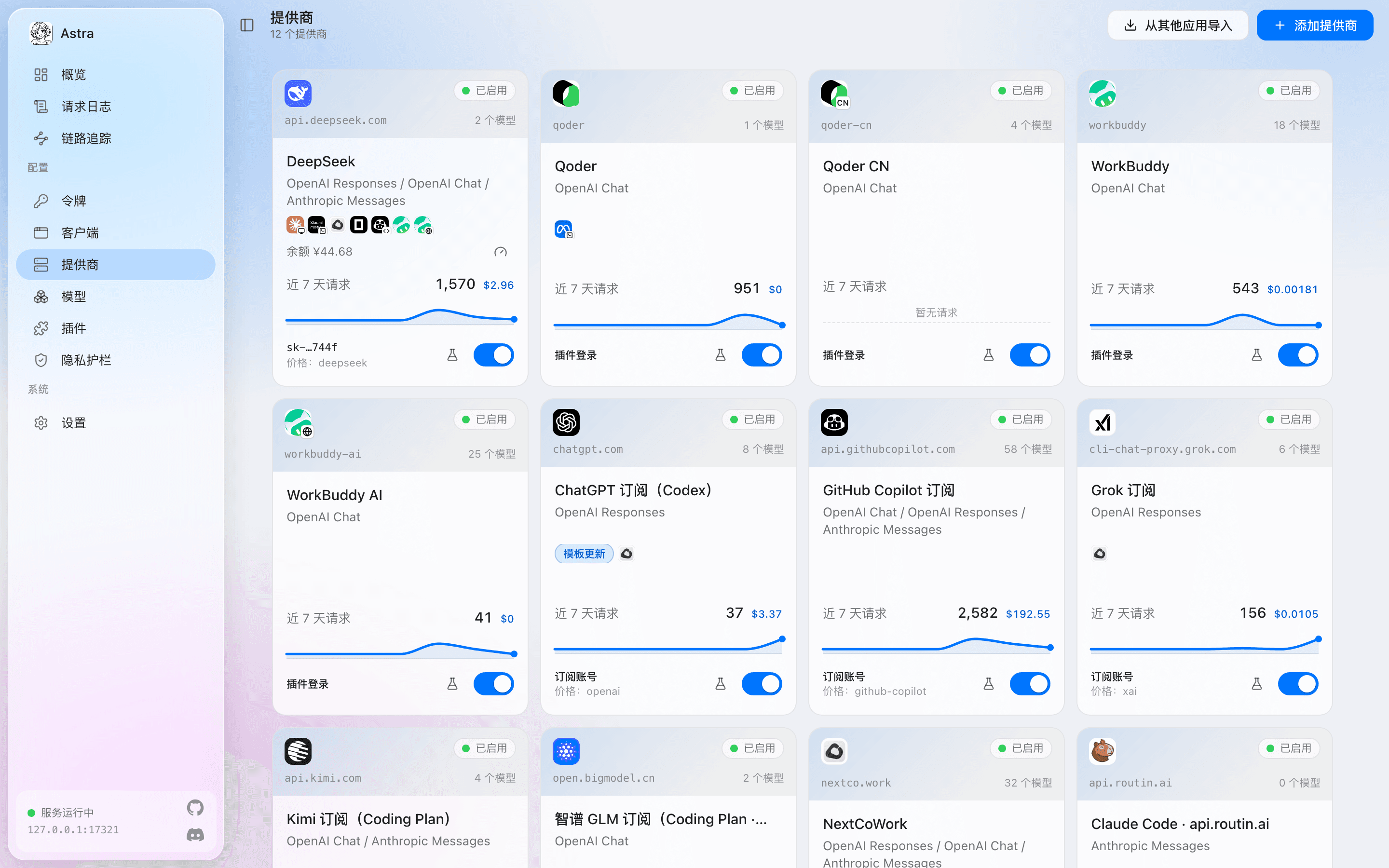
The console’s Providers page (in Chinese). Qoder, Qoder CN and WorkBuddy come from plugins; their cards are marked “插件登录” (plugin sign-in). Sign in on its Accounts tab
This plugin uses: Trae's own browser sign-in. Sign-ins are stored on this machine only.
Bind it to clients
On the Clients page, give it to Claude Code, Codex or any other client; Astra converts between protocols. Or use the command:
astra client enable claude-code --provider plugin-trae-cnOptional: add more accounts
One provider can hold several accounts; when one runs out of quota or its sign-in expires, Astra moves to the next, or spreads the load.
What you get
Plans and models are taken from the plugin’s own description.
Before you install
- Runs with all your permissionsProvider plugins run in a separate plugin host (Bun) and see the requests that pass through them. Install only plugins you trust.
- A GitHub Release from the community repositoryastragate-community/astra-gate-plugins, Version 0.2.11, 32.4 KB.
- SHA-256 checked before installingIf the download does not match the hash on record in the market, it is not installed. Install scripts never run (
--ignore-scripts). - Remove it any time
astra plugin remove @astragate-community/trae-auth