

ZCodePlugin
Provider plugin · v0.1.20 · @astragate-community/zcode-auth
Z.ai and BigModel GLM Coding Plan, with team seats. Once installed, Claude Code, Codex and any other client connected to Astra can use it.
After installing
“ZCode” appears on the Providers page
Its ID is
plugin-zcode. The first time it is used, Astra downloads a pinned version of Bun to run plugins and checks its SHA-256.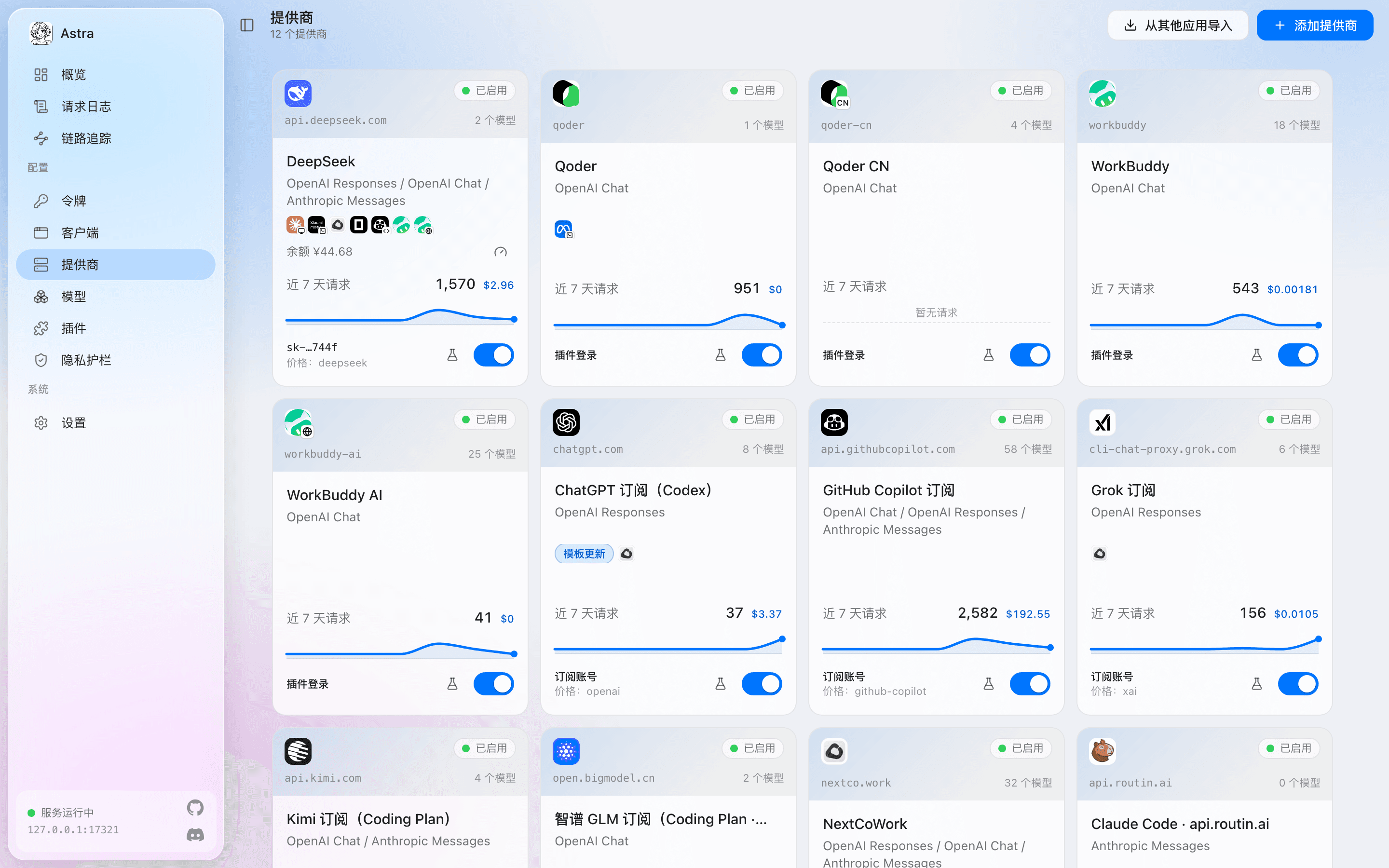
The console’s Providers page (in Chinese). Qoder, Qoder CN and WorkBuddy come from plugins; their cards are marked “插件登录” (plugin sign-in). Sign in on its Accounts tab
This plugin uses: Signs in the way the ZCode app does. Sign-ins are stored on this machine only.
Bind it to clients
On the Clients page, give it to Claude Code, Codex or any other client; Astra converts between protocols. Or use the command:
astra client enable claude-code --provider plugin-zcodeOptional: add more accounts
One provider can hold several accounts; when one runs out of quota or its sign-in expires, Astra moves to the next, or spreads the load.
What you get
Plans and models are taken from the plugin’s own description.
Before you install
- Runs with all your permissionsProvider plugins run in a separate plugin host (Bun) and see the requests that pass through them. Install only plugins you trust.
- A GitHub Release from the community repositoryastragate-community/astra-gate-plugins, Version 0.1.20, 22.1 KB.
- SHA-256 checked before installingIf the download does not match the hash on record in the market, it is not installed. Install scripts never run (
--ignore-scripts). - Remove it any time
astra plugin remove @astragate-community/zcode-auth
Three ways to use GLM
It depends on what you have. Built-in ones work as soon as Astra is installed; plugins need installing once.
| You have | Choose in Astra | How you sign in |
|---|---|---|
| A Zhipu open platform API key (pay as you go) | Enter the API key | |
| A GLM Coding Plan (Z.AI or BigModel) | Authorize in the browser, or enter the Coding Plan API key | |
| Team seats, or ZCode's Start Plan | Sign in the way the ZCode app does (per the plugin) |
ZCode is also a client: Astra can take over its configuration so it uses any of the above.